
Right Sized Mailboxes. Lower Cost. Same Reliability.
A practical switch that trims email spend by matching mailbox size to real usage—without sacrificing security or user experience.

How the Business Works
This is the story of several respected Bangladeshi companies—serious about reliability, careful about cost. Their email ran on big, well-known suites. Every employee, from front desk to field sales, carried the same suitcase-sized mailbox, even if many only needed a small backpack. The rules were simple but expensive: standard Microsoft business plans gave 50GB mailboxes by default, with higher tiers offering 100GB and large archives; it was one size for everyone, whether they filled it or not.
On Google's side, Business Starter provided 30GB per user in pooled storage—again counted for each account, even if most never came close.
Admins did their best. They wanted fast search, mobile access, dependable delivery. But paying for big seats on every bus meant many seats rode half-empty. It felt like buying a full buffet when plenty of staff only needed tea and toast. Costs climbed. The experience stayed fine—but the fit wasn't right.
Where Work Got Stuck
License Over-Provisioning
Flat mailbox quotas (e.g., 50GB/user) meant paying for storage that many users didn't consume.
Feature Waste
Many roles didn't use the bundled apps (Teams/OneDrive or Meet/Drive), but licenses included them by default—adding cost without daily value.
No Per-User Mailbox Right-Sizing
'Basic' plans don't let you reduce mailbox size on a per-user basis to 5–10–30GB; the quota comes with the plan.
Budget Locked in Email
With email overspending, little budget remained for apps, training, or automation that could raise productivity elsewhere.
Challenges
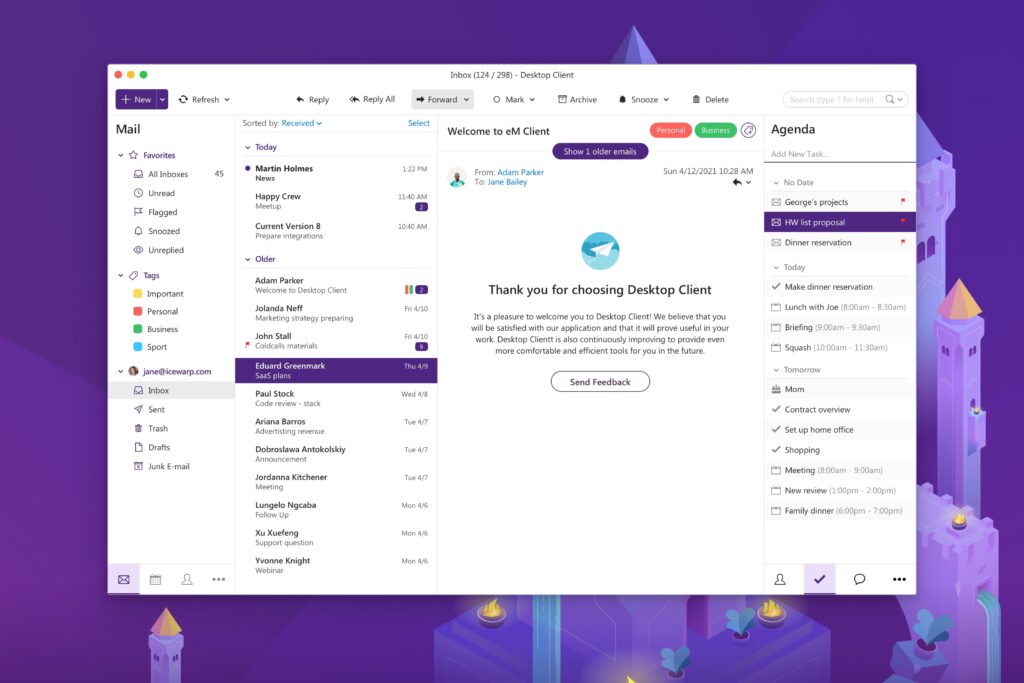
Design a solution that keeps enterprise-grade email while allowing per-user mailbox quotas (e.g., 5GB, 10GB, 30GB), provides governance and alerts, integrates with existing workflows, and frees budget for higher-value initiatives.
The Solution We Provide
Apptriangle Limited listened and proposed a straighter path: move the right users to IceWarp, keep power users where they need to be, and size mailboxes to real life. In practice, it felt simple. IceWarp allowed admins to set per-user, per-domain, and global disk quotas with clear precedence, so each account carried only what it needed—5GB, 10GB, 30GB, or more when justified. Warnings appeared before anyone hit the ceiling, so people stayed productive without surprises.
Behind the scenes, Apptriangle ran a usage review and saw a familiar pattern: a large group—around 40–50%—used only 5–10GB of mailbox space and rarely touched heavy collaboration apps. Those users shifted to right-sized IceWarp mailboxes. Power users either stayed on Microsoft/Google or moved to larger IceWarp quotas. The platform covered email, calendar, and sync with enterprise-grade administration, and could scale to "all-in-one" collaboration later if the business asked. (IceWarp's limits and policies are designed for this kind of flexible control.)
The change felt like swapping oversized luggage for just-right carry-ons. Reliability stayed. Search stayed. Mobile stayed. Waste didn't. Admins stayed in control, costs fell to match reality, and leaders finally saw an email estate sized to the work, not to a blanket license. Same confidence. Lower spend. A better fit.
Real-World Effect
Immediate Cost Reduction
Stop buying large quotas for everyone. Use IceWarp quotas (5/10/30GB) for light users; keep premium suites only where needed.
Right-Sized Storage with Alerts
Admins set per-user/domain disk quotas and capacity warnings, preventing surprise lockouts and encouraging healthy mailbox hygiene.
Governance That Fits
User-/domain-/global-level limits with clear precedence make policies predictable (user overrides domain; domain overrides global if allowed).
Flexible Growth Path
If collaboration demand rises, IceWarp offers integrated TeamChat, conferencing, documents, and mobile sync—without forcing full-suite licenses up front.
Hybrid Freedom (No Lock-In)
Keep heavy users on Microsoft/Google where needed; the rest on IceWarp—mix and match without disrupting user experience.
Budget Reallocation to Value
Savings can fund app development, training, or automation that lifts productivity more than idle mailbox space ever could.
Frequently Asked Questions
Can IceWarp really set individual mailbox sizes like 5GB or 10GB?
Yes. IceWarp supports account-level disk quotas, domain limits, and global limits—with clear precedence, so you can assign small or larger mailboxes per user.
What happens when users approach capacity?
Admins can configure capacity-warning notifications so users get alerts before hitting their limit.
How do Microsoft/Google 'basic' plans handle mailbox/storage sizes?
Microsoft Exchange Online sets mailbox size by plan (e.g., 50GB for Business Basic/Standard; 100GB for E3/E5), with archive options in higher tiers. Google Workspace Business Starter provides 30GB pooled storage per user, managed organization-wide.
Is migration complicated?
IceWarp provides admin tools and documented processes for migration; quotas and limits are admin-configurable post-cutover.
Can we keep some users on Microsoft/Google and move others to IceWarp?
Yes, this hybrid licensing approach is the point: heavy users stay where the full suite is justified; light users move to right-sized mailboxes.